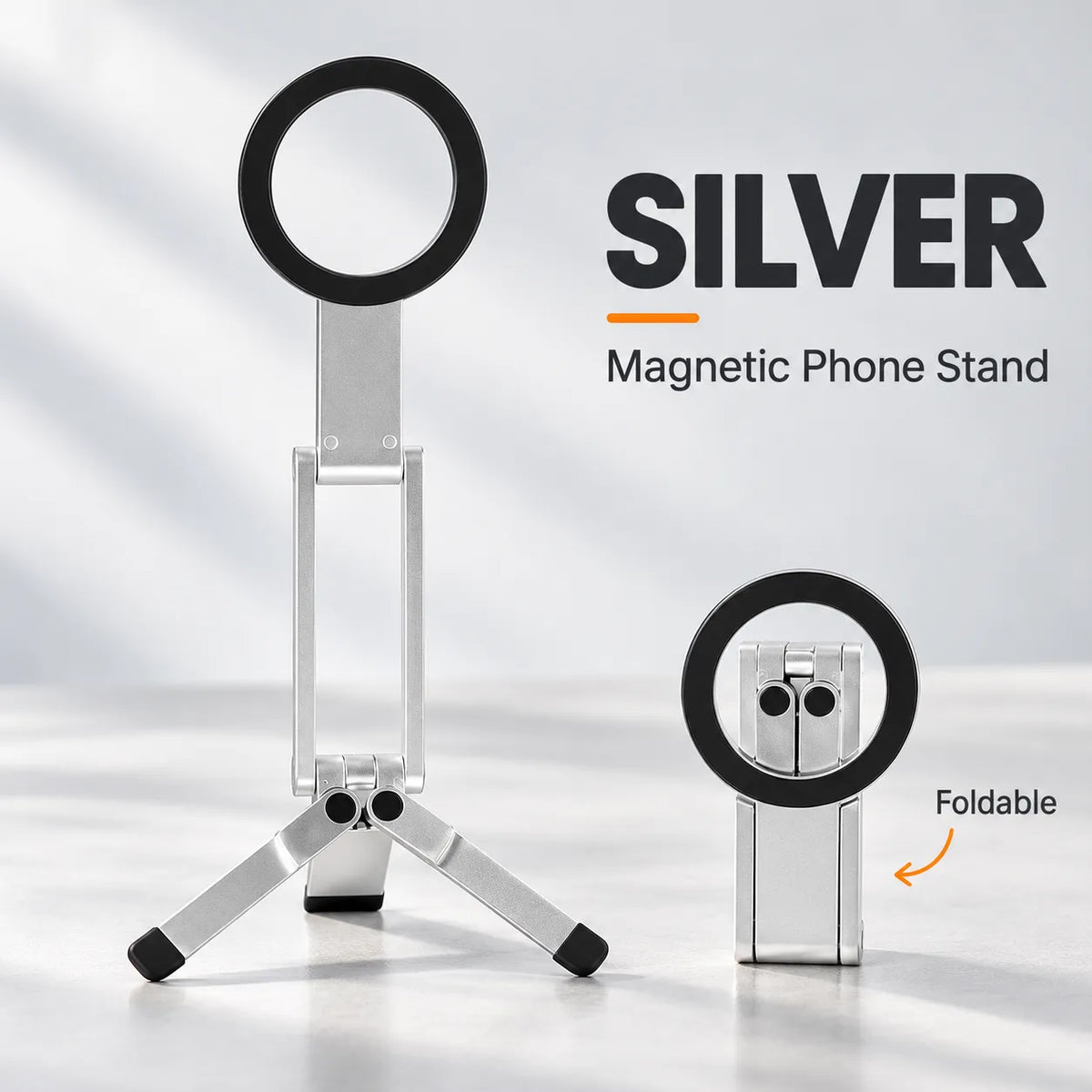
📱 Foldable Magnetic Phone Tripod Stand
📱 Foldable Magnetic Phone Tripod Stand
Couldn't load pickup availability
-
Ordered
- - -
Order Ready
- - -
Delivered
TRY IT RISK FREE!
Enjoy a 30-day money back guarantee. If you’re not satisfied, contact us within 30 days of delivery. View Policy

📱 Foldable Magnetic Phone Tripod Stand
Foldable Magnetic Phone Stand
Set Your Phone Down. Free Your Hands.
Make video calls, follow tutorials, and film everyday moments with a compact stand that adjusts to your view and folds away after use.
Choose Your Stand ↑
A Better Place for Your Phone
No more balancing your phone against a mug or holding it through every call. Set it on a firm, level surface and get back to what you're doing.
Four Features. Everyday Convenience.
Select a feature to explore the details below.


A Closer Look at Your Stand
01. Flexible Setup
Switch between a low desk position and an unfolded tripod configuration to suit your task. Keep a tutorial in view, join a video call, or frame a tabletop recording without holding your phone.
02. Magnetic Mount
Align a compatible magnetic phone or case with the circular mount for convenient attachment without a traditional clamp. Non-magnetic devices may need a suitable adapter ring. Support your phone while checking the connection. The mount does not provide wireless charging.
03. Adjustable View
Use the folding joints to adjust your viewing angle and position a compatible phone in portrait or landscape. Keep the phone centered over the base and check stability after each adjustment.
04. Compact Fold
Remove your phone, fold the feet inward, and bring the arms into their storage position. The compact folded shape is easy to tuck into a suitable pocket or bag, ready for your next stop.
Pack It for Your Next Stop
From a home desk to a weekend away, keep a handy phone setup close by. Fold it into a suitable pocket or bag when it's time to go.

Explore Your Accessory Options
For versions with double-sided magnetic mounting, compatible accessories can offer more setup options. Confirm the features of your selected version and check accessory fit before use.

Accessory note: Light sold separately. The pictured arrangement is illustrative; check mounting alignment, clearance, and balance for your specific stand and accessory.
Ready in Three Simple Steps
-
01. Unfold & Place
Open the stand into your chosen configuration. Spread the feet for tripod mode and place it on a firm, level surface.
-
02. Attach Your Phone
Align your compatible phone or magnetic case with the ring. Keep one hand on the phone while checking the connection.
-
03. Adjust & Enjoy
Set the angle and orientation. Confirm balance before releasing your phone, then start your call, tutorial, or recording.
Less Holding. More Doing.
Catch up with friends, follow a new recipe, or share what you're making. Give your phone its own place and stay in the moment.

Choose the Right Setup
Phone & Case Compatibility
Use a compatible magnetic phone or case. Non-magnetic devices may need an appropriate adapter ring. Case thickness, material, and shape can affect attachment.
Colors & Materials
Select Black or Silver and check whether your chosen option is Alloy or Plastic. Specifications and construction may differ between versions; refer to your selected option.
What's Included?
Refer to the package contents listed for your selected option, including any adapter ring. Phones, lights, pouches, and other scene props are not included unless explicitly listed.
Frequently Asked Questions
Can I use portrait and landscape?
Yes. Position a compatible phone in either orientation, adjust the stand, and check balance before use.
Does the stand charge my phone?
No. The magnetic ring holds your phone; it does not provide wireless charging.
Do I need a magnetic adapter ring?
A compatible magnetic phone or case may attach directly. A non-magnetic device may need a suitable adapter. Check your selected option for adapter inclusion.
Will it work with a thick case?
Thick, textured, or unusually shaped cases can affect magnetic attachment. Check your case's compatibility and confirm a secure connection before use.
Where should I place the stand?
Choose a firm, level surface. Keep your phone balanced over the base, and recheck stability after changing its angle or adding an accessory.
How do I fold it for storage?
Remove your phone and accessories first. Fold the feet and arms inward without forcing the hinges beyond their natural range.
Make Room for Hands-Free Moments
Choose your color and material, then give your phone a convenient place to stand.
Choose Your Stand ↑Return to the top to select your option and add it to your cart.